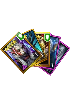
These are the cards you chose
Tips:Price! Please click "Directions for use" on the right. Click on an icon to search. --||---Process: Click an icon---click "Search"---click "BUY"---pay" ---||--- If you don't understand anything, you can contact onl

These are the cards you chose
Tips:Price! Please click "Directions for use" on the right. Click on an icon to search. --||---Process: Click an icon---click "Search"---click "BUY"---pay" ---||--- If you don't understand anything, you can contact onl
Directions for use
For the first time, you need to wait for the data to load.
Purchase steps:
Click on a picture ➞ click “Search” ➞ select the required account ➞ click “BUY” ➞ fill in the email address ➞ payment ➞ contact the online staff(Waiting for mail).
Function Description:
 Search for the account and click "Collect". You can view the favorite accounts here.
 :Ranking, the most bought favorite accounts.
 :A good price account recommended by the store manager.
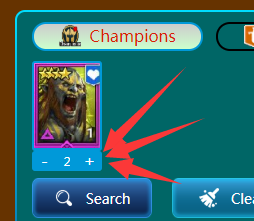 The "+" sign here adds the number, you can search for the same role.

:Here you can filter one of the data, price filter.